
Create and book a shift
- Select Schedule in the main menu on the left.
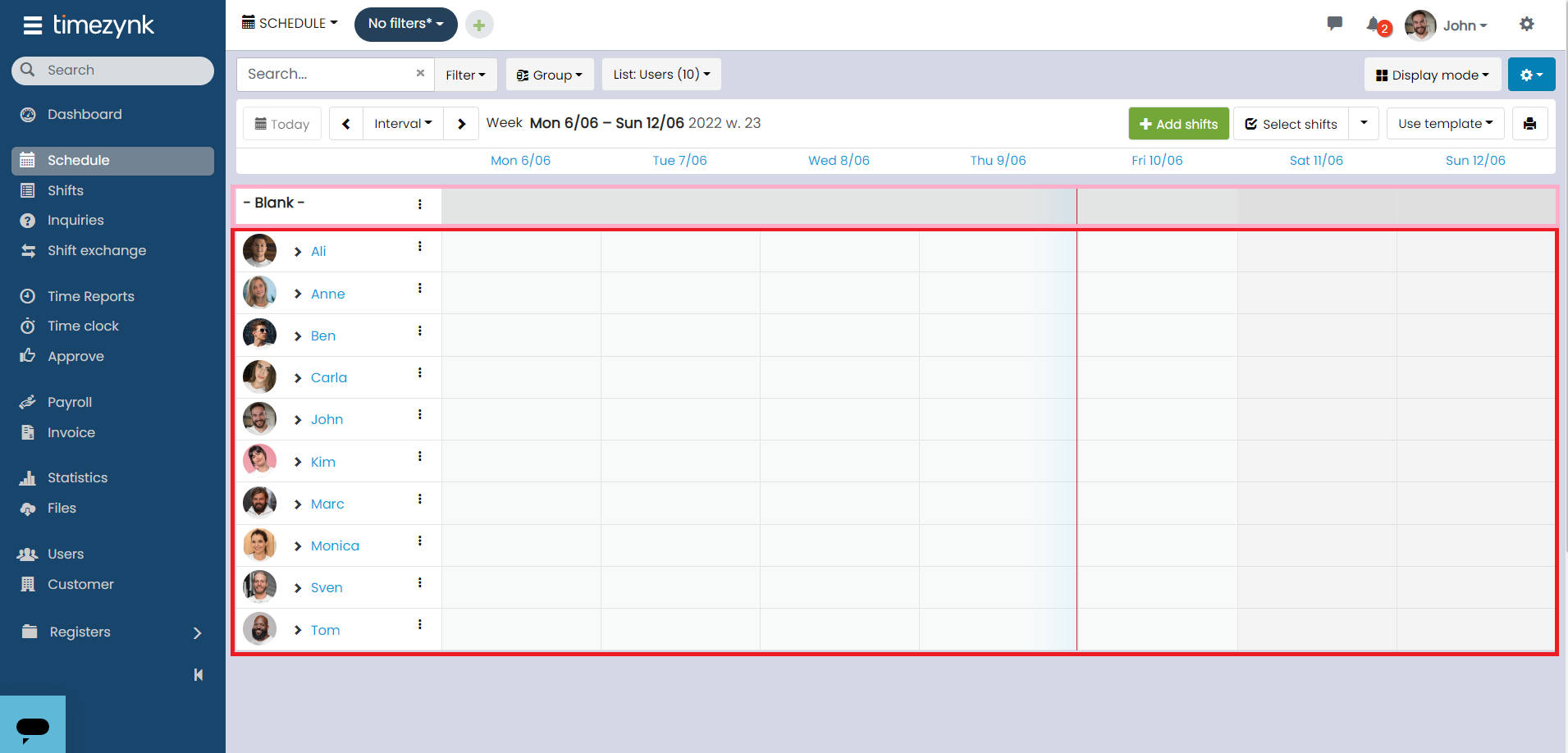
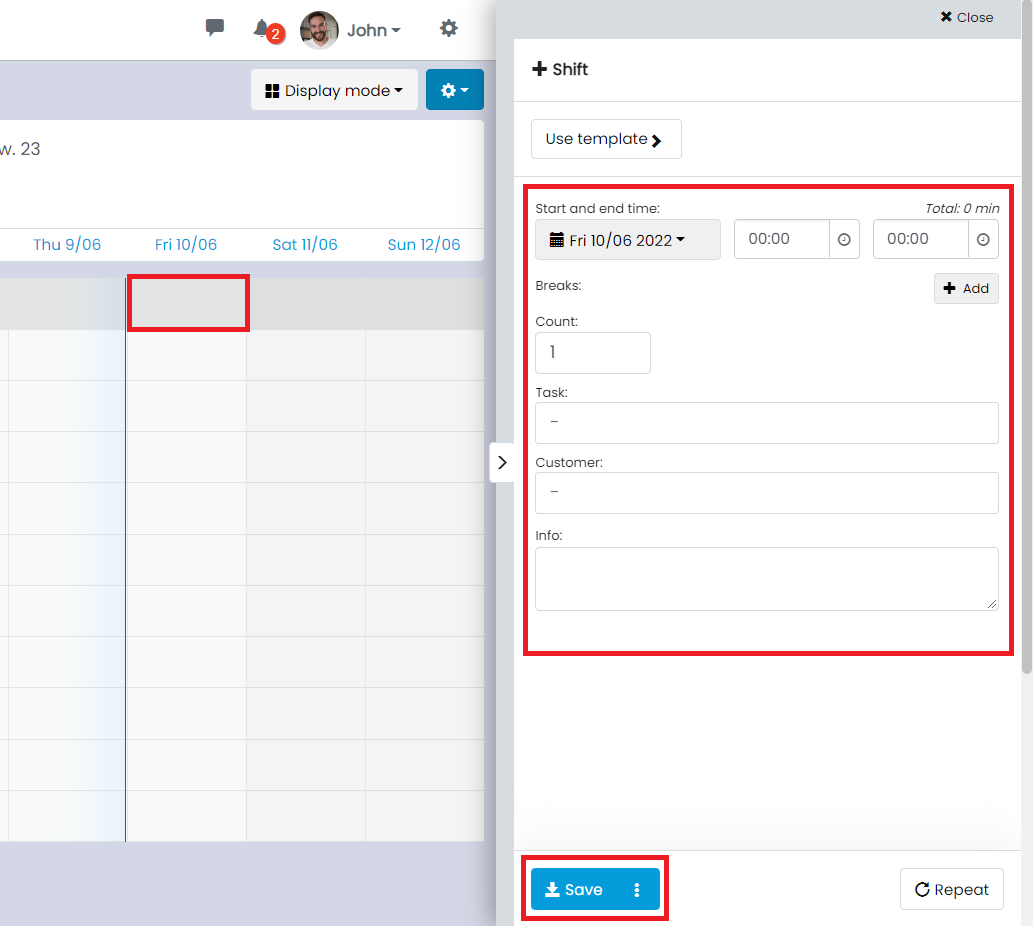
- If you want to add a work shift, click on an empty box in the schedule, fill in the shift information, and then select Save/Book.
👀If you enter a shift on the Unbooked row, the shift will be booked as unbooked. For more information, see the section further down.
👀If you click on a user's row, you book the user directly on the shift.
Book a shift from the Unbooked row
You create an Unbooked work shift by clicking on a box in the Unbooked row. Then navigate to the Book tab and select which user you want to book. You can also drag the shift to the user you want to book.