
How do I configure the ledger?
📢Contact our support to activate the ledger on your account.
Go to ⚙️ > Options > Staff Register to set what should be saved in your register. You retrieve the information from the fields.
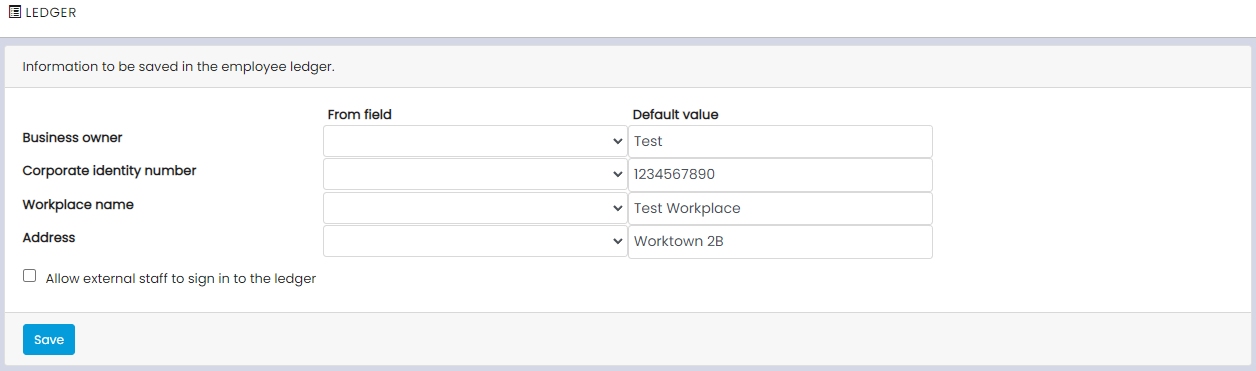
- Please select in the left column to retrieve information from your records, such as shift, if you have multiple workplaces.
- Fill in Default value in the right column so that there is always an alternative basis that your employees can clock in against, even if the shift lacks information. (We recommend that you set your default ledger in the Company profile, which you can find via the gear icon —> Company profile, and then fill in the billing and customer details. By doing this, the values for the staff ledger will be retrieved from here).
- If the box Allow external people to clock in to the register is checked, it means that individuals who do not have an account on Timezynk can register their information on-site to be able to clock in and/or out.