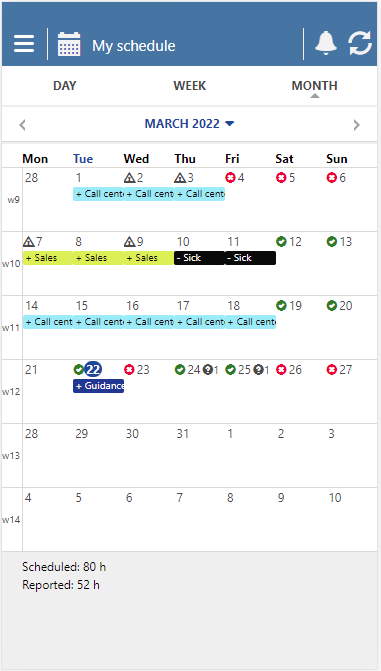
What can I see in my monthly schedule?
If you click on Month in your schedule, the current month will be displayed, and you can then toggle back and forth to select the month you want to see.
The colored markers under the dates indicate which shifts you are booked for.
✅❌Green checks and red crosses indicate availability: the check means you are available, and the cross means you are busy.
🔼The triangle with an exclamation mark means that you have not reported the work shift for the current day.
❓The question mark indicates that you have a number of unanswered job offers on that day. The number next to the question mark shows how many.