Send message to colleagues
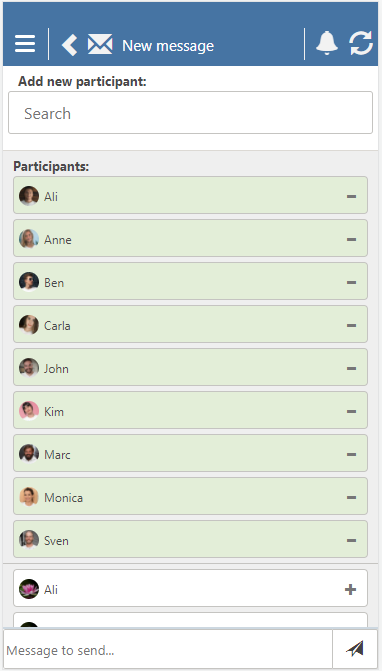
If you want to contact your colleagues, you need to open the main menu (the three lines in the top left corner) and select Message. Then you can create a new message.
All users are displayed in the view, and you only need to select the people who should be included in the conversation. You can also search for users by selecting Search under Add participants. The search results update immediately as you start typing the first letter.
Once you have selected participants, go to the bottom of the page where you see Message to send... to write your message. When you have completed the text, click on the paper airplane icon to send the message.