Add salary articles
Salary articles
💡Salary articles are used to register, for example, worked hours and absences. By creating a payroll agreement with clear rules for when these articles should be applied, you can smoothly export them to your payroll system. In Timezynk, you can also add standard articles from several payroll programs, such as Crona Lön, Visma Lön, Fortnox, and Hogia Lön. Please feel free to contact our support, and we will help you check if Timezynk supports your payroll program.
In addition to the standard articles, you also have the option to add your own salary articles.
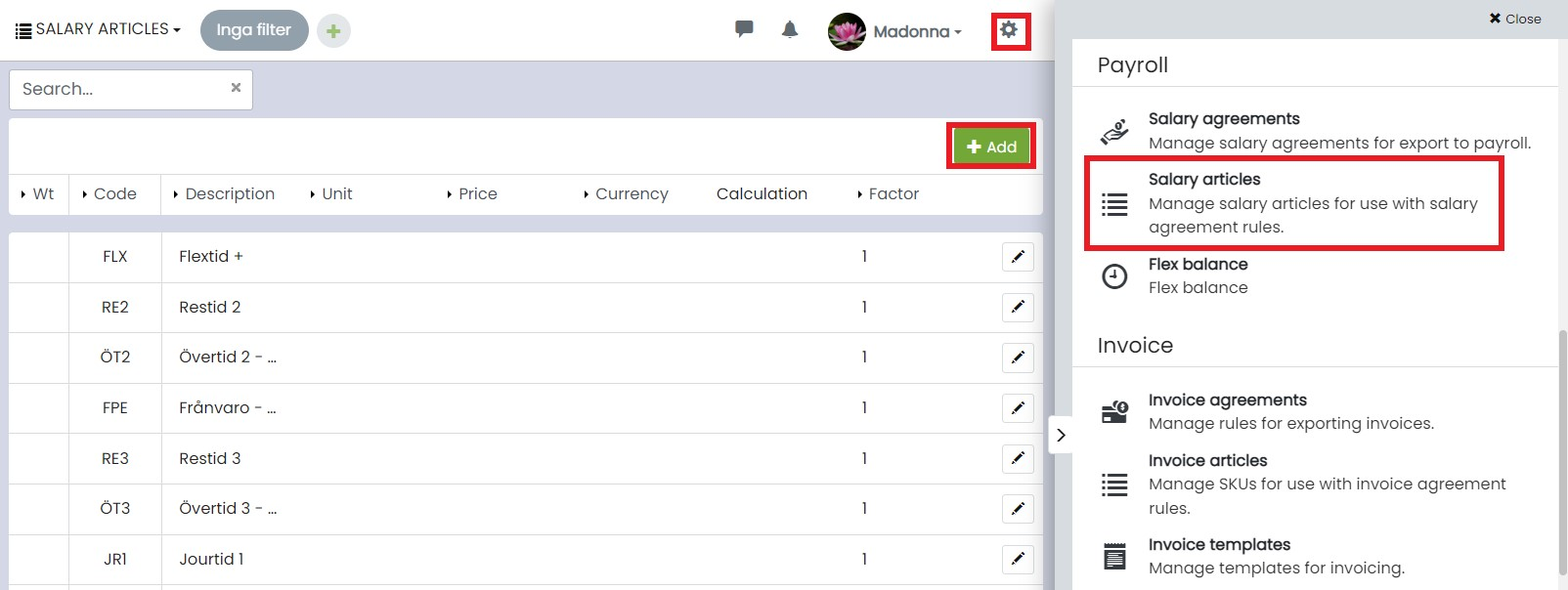
Then click on ⚙️ > Salary articles > + Add.
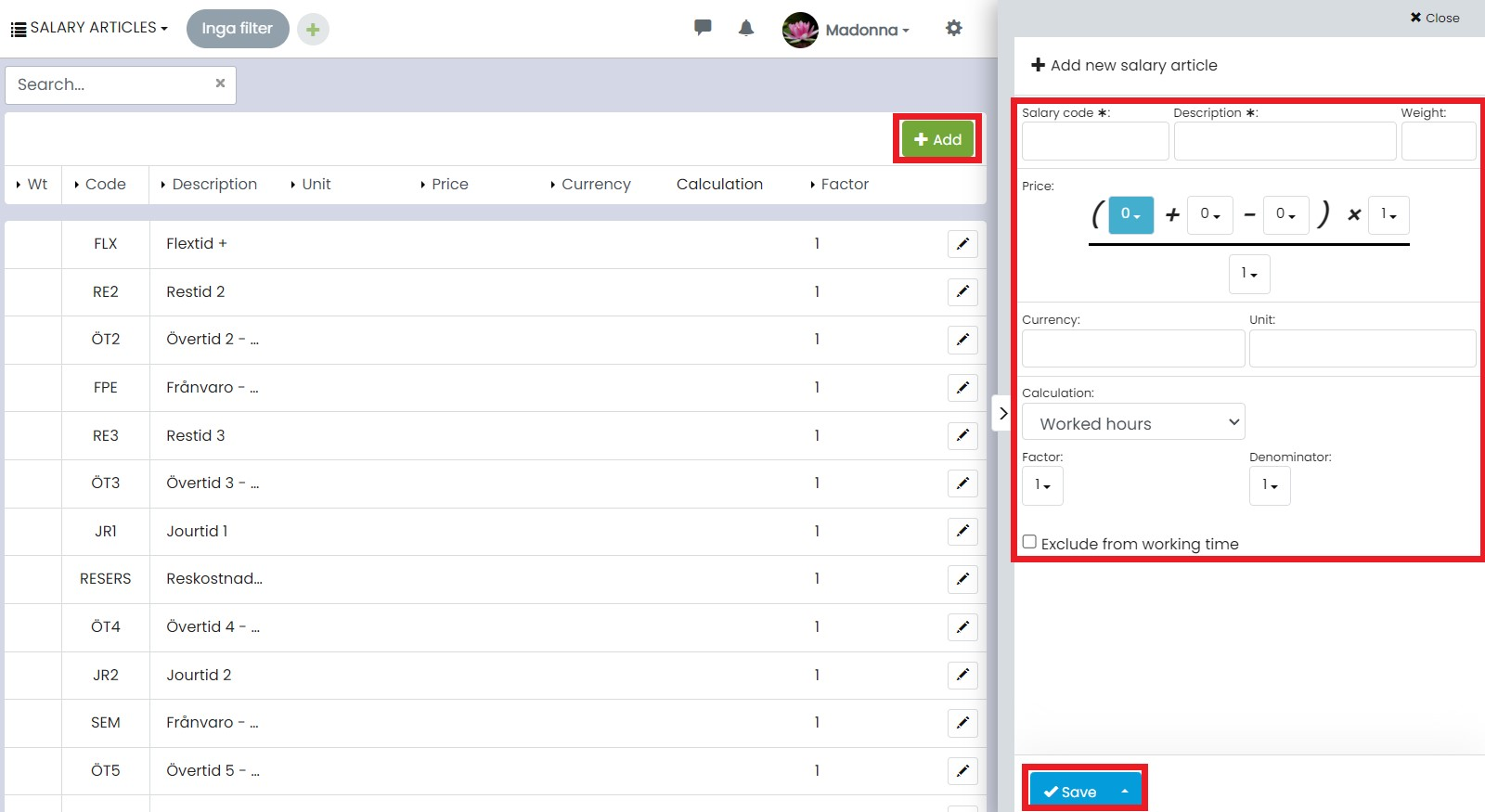
The following fields are available to fill in:
- Salary type: enter the article number.
- Description: specify what the salary article refers to.
- Sorting weight: indicate where in the list the salary article should be placed.
- Price: the price can be a fixed amount or retrieved from a field in your registers, for example, the customer register. Here you can also add any additions and deductions as well as factors and denominators. These can be specified either as fixed values or retrieved from fields.
- Currency: choose the currency in which the price should be calculated.
- Unit: by default, completed work is specified in hours, but you can also choose, for example, pieces.
- Calculation: specify what the salary should be based on, for example, hours, number of shifts, number of shifts and users, number of calendar days, number of days and users, or value from any numeric field in your registers.
- Calculation/ Factor and Denominator: here you specify whether the calculation should be multiplied or divided, for example, by multiplying worked hours by a certain number. This is used, among other things, to calculate mileage reimbursement. These fields can also be specified as either a fixed numeric value or retrieved from numeric fields.