
Seperate invoices
Within Timezynk, it is possible to configure customer invoices to be separated based on parameters specified in the invoice header. You can therefore separate invoices per customer using the following fields in the image below.
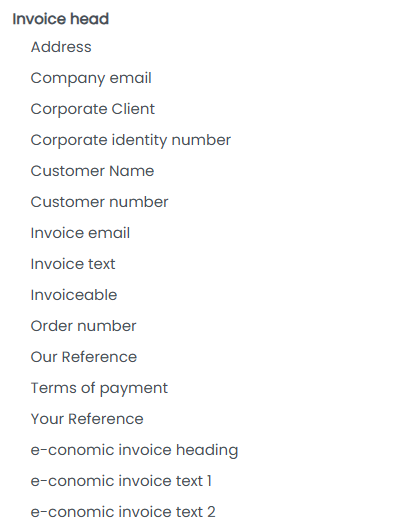
If you work with projects or workplaces linked to a customer, and you want each project or workplace to be handled on a separate invoice, you can choose one of the fields above as a parameter and link it to the project or workplace register. Below are the steps for how to do this:
- Open ⚙️ in the top-right corner.
- Click Registry settings under Settings.
- Go to one of your registers, for example Projects.
- Click the blue button + Add.
- In Type, select one of the fields under the heading Invoice header that should control that separate invoices are created.
- Click Save.
- Navigate to Register in the left main menu.
- Click the Projects register.
- Click the pencil next to the respective project and enter a value in the new field.
If two projects have the same value in the new field, they will end up on the same invoice.