
How do I add or remove fields from shifts?
To change the structure of your shifts, you need to adjust your shift register.
Settings for the register can be found by clicking on ⚙️ in the upper right corner and then selecting Register Settings. Here you can see your registers, and by opening the shift register, you can configure which fields should be included in the shift.
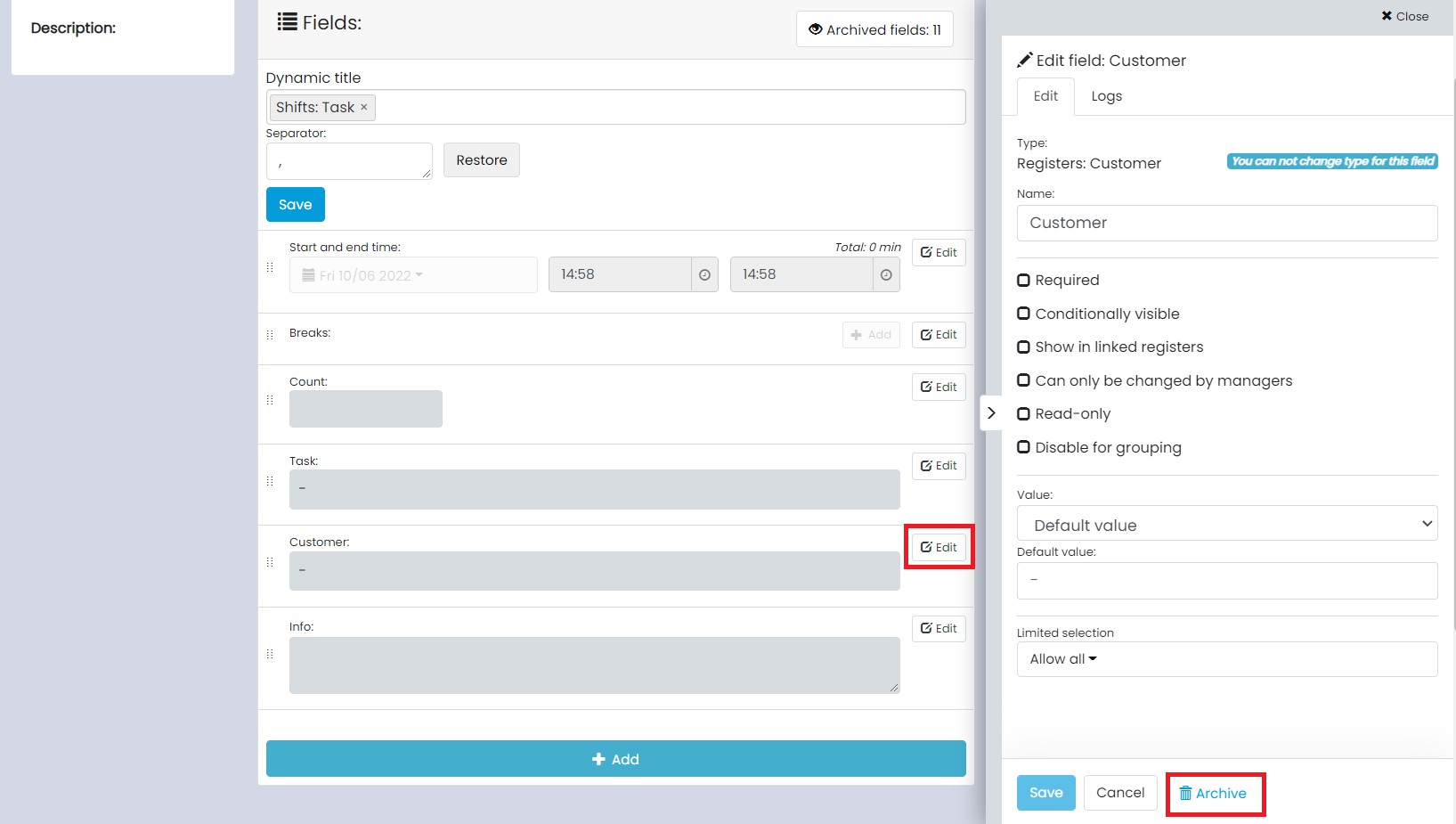
If you want to remove a field, click on Edit and then on Archive.
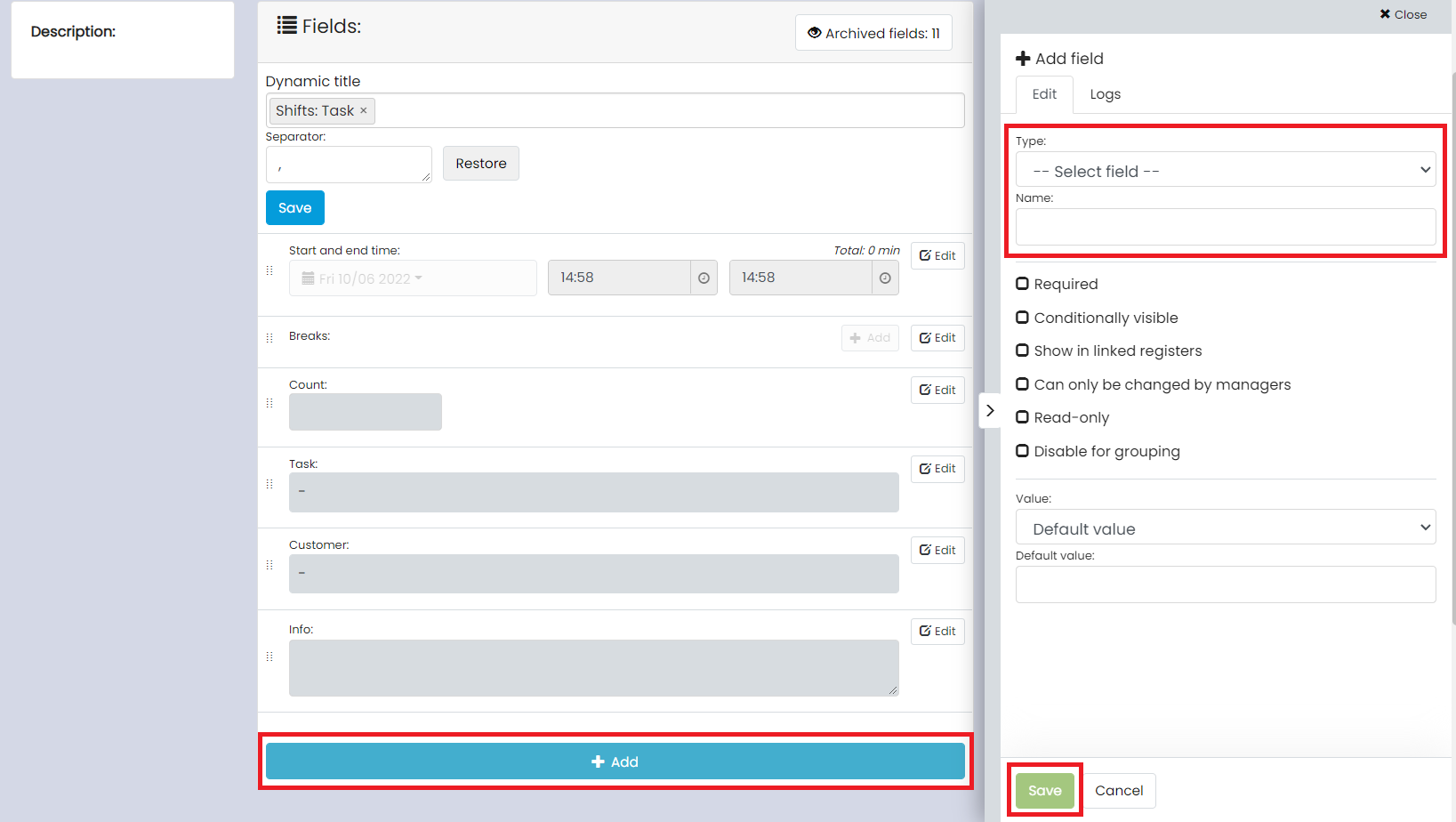
To add a field, press + Add, select the type of field and name. Then press Save.
The most common fields for shifts are:
- Numeric: A field where you can only fill in numbers. It can be used, for example, for prices.
- Text: A field where you can write anything from text and numbers to emojis and links. To make the links work, http:// must be included.
- Text, multiple lines: A field that resembles the previous option, but where you have more space for longer text.
- Yes/No: A field with two options that you can fill in. It can be used, for example, for salary supplements.
- Order number: A field that connects order numbers with your invoices.
- Project code: A field that connects project codes with your invoices and payroll lists.
- Date comment: A field that is linked to your invoices. It can be used, for example, to add a comment in the shift.
- Register field: A field that can be used for several different purposes. Examples of register fields are Customer, Project, and Task. These are used to manage information and settings related to the respective register.