How do I swap shifts with my colleagues?
📢Please note that a manager must approve the change for it to be valid.
Shift Exchange on the Website
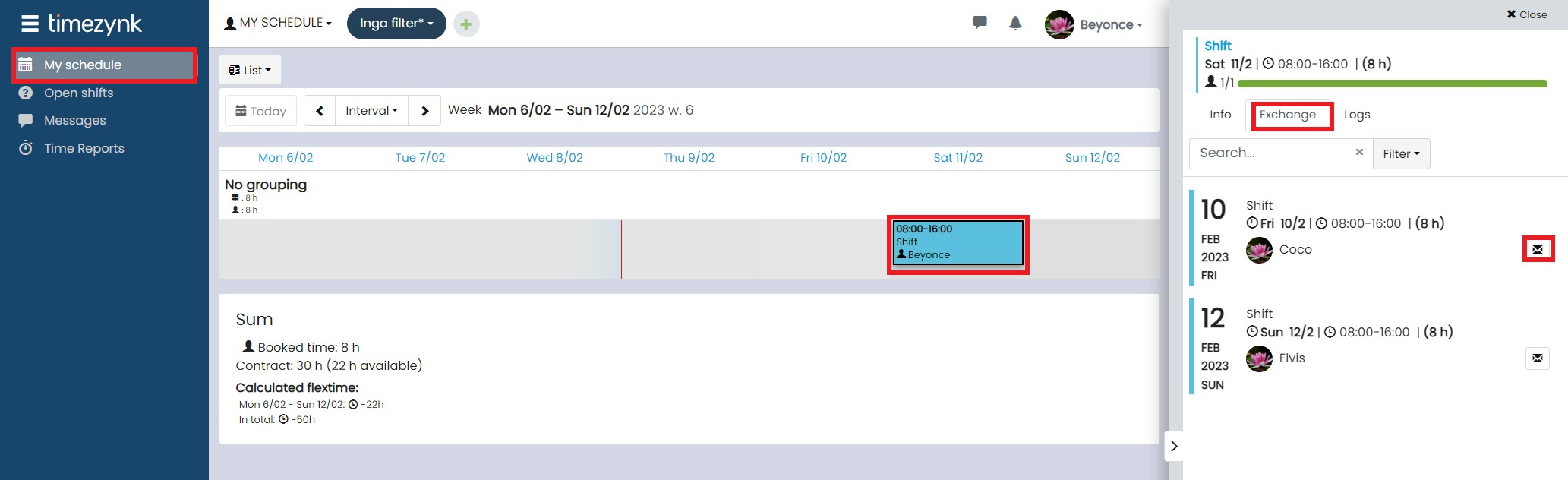
- Go to My Schedule and select the shift you would like to change.
- Click on the Shift exchange button.
- Select which shift you want to change to and press the ✉️ to the right.
Once you have done this, it is complete. Your colleague will then receive an email with your request for a shift exchange as well as information about which shifts it concerns.
Shift Exchange in the mobile app
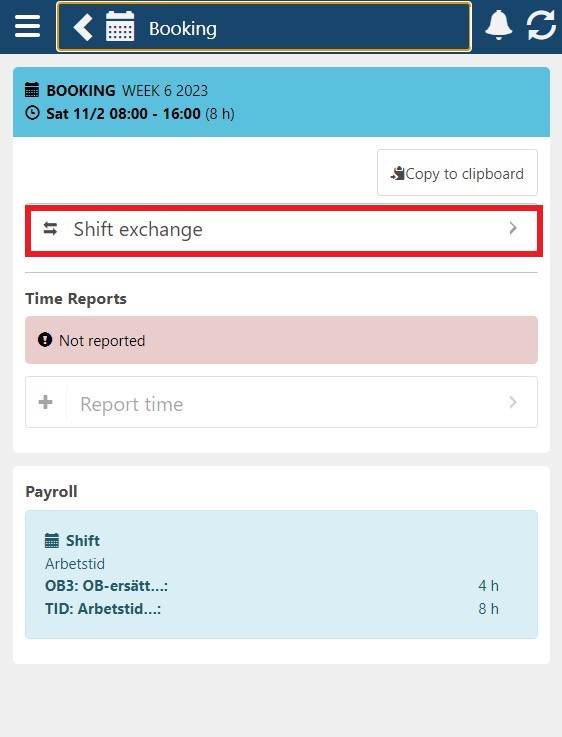
- Go to the date where you have the shift you want to change.
- Press the button Shift exchange.
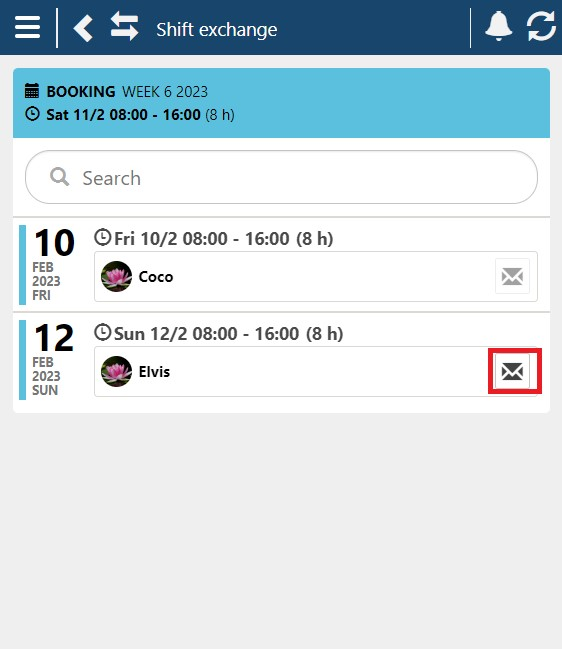
- Select which shift you would like to exchange with and press the ✉️ on the right.
Then it's done. Your colleague will now receive an email with your request for a shift exchange and information about which shifts it concerns.